Written for: a beta tester who has never seen the game.
SHUFFLER: beta test guide (Rev 5)
SHUFFLER is table shuffleboard for the ColecoVision, adapted from Midway's 1978 arcade game. You slide pucks from the left end of the table toward the scoring end on the right.
Starting a game
The game opens on a blue menu. Move the arrow with UP / DOWN. FIRE changes the line the arrow is on.
GAME: 1 DECK or 2 TABLE (the rules are below).
PLAYERS:
1 VS CPU MIDWAY: the original arcade computer, which never looks at the board.
1 VS CPU SMART: a new computer that reads the board and plays to score, guard its lead or knock your pucks off.
2: two players, taking turns.
CONTROL: ROLLER, STANDARD or SUPER ACTION.
START GAME: FIRE here starts the game. The arrow starts on this line, so FIRE alone plays with the settings shown.
Play
Each player has 3 pucks a frame, and players alternate shots. Red is Player 1; blue is Player 2 or the computer.
The line near the left end is the release line. Your puck must be moving fast enough when it's let go past it, or you get FOUL – SHOOT AGAIN.
A puck that slides off the far end or into a side gutter is out.
You may knock other pucks, yours or your opponent's.
The bottom of the screen shows:
both scores, with a < beside whoever is shooting;
the game and its target;
messages such as PLAYER 1 TO SHOOT or FRAME SCORED.
Throwing
Roller Controller (the true arcade feel)
Wait until the ball is still, then roll it toward the far end to carry the puck.
The puck is released once it has passed the release line and your hand stops speeding up. Roll smoothly and briskly through the line.
Rolling sideways moves the puck across the table and angles the shot.
If the puck moves the wrong way on either axis, keypad 7 flips left/right and keypad 8 flips forward/back. Please tell us which you needed.
Standard controller
UP / DOWN position the puck across the table. LEFT/RIGHT do nothing.
Hold FIRE: a POWER meter swings up and down on the message line.
Let go of FIRE at the power you want, and the puck is thrown.
Hold UP or DOWN as you let go to angle the shot.
Super Action Controller
The stick moves the puck (RIGHT pushes it forward). The speed roller pushes it up the table.
The puck is released by the same rule as the Roller.
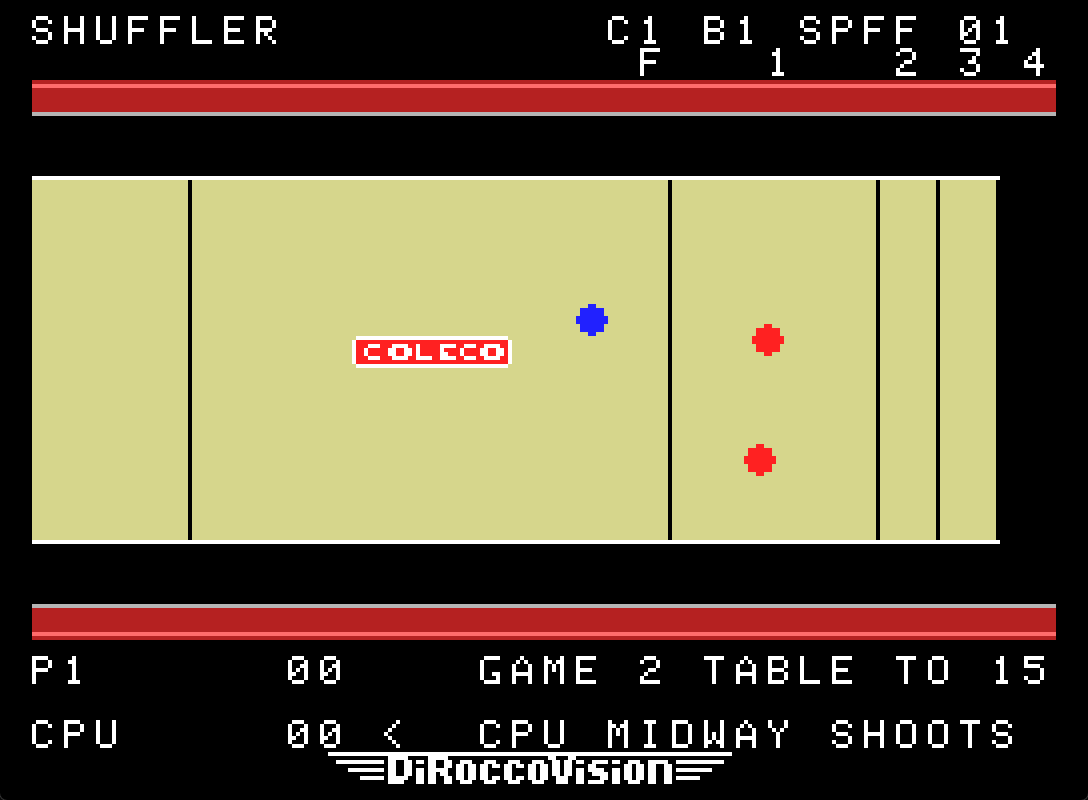
GAME 2 – TABLE (first to 15)
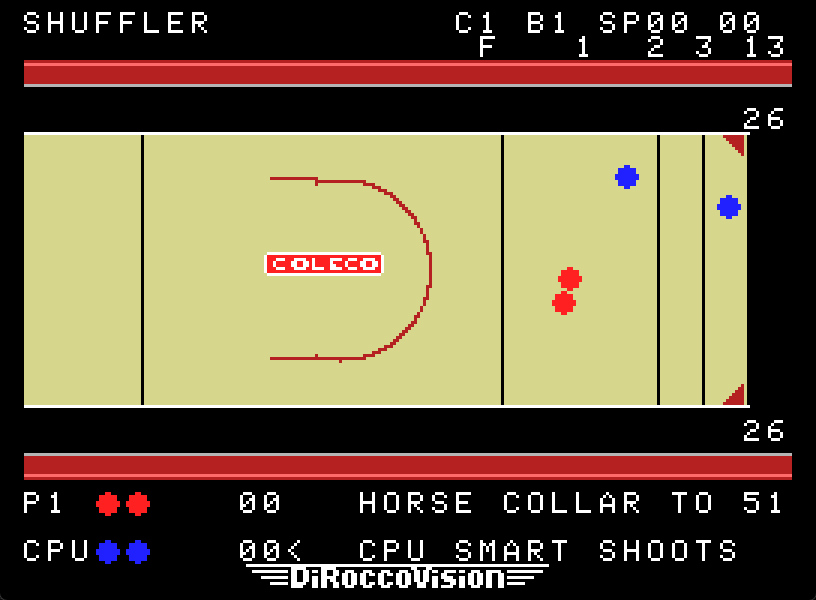
The zones are labelled above the table: F 1 2 3 4.
F is the far foul line. Any puck that stops short of it is removed after every shot.
1, 2 and 3 are the scoring zones, worth more the closer they are to the far end.
4 is a "hanger" hanging over the far edge.
A puck scores a zone's value only if it is wholly past that zone's line. A puck touching a line scores the lower value.
Only the leader scores: whoever has the puck closest to the far end scores each of their pucks that is ahead of the opponent's best puck.
The frame's winner shoots first in the next frame.
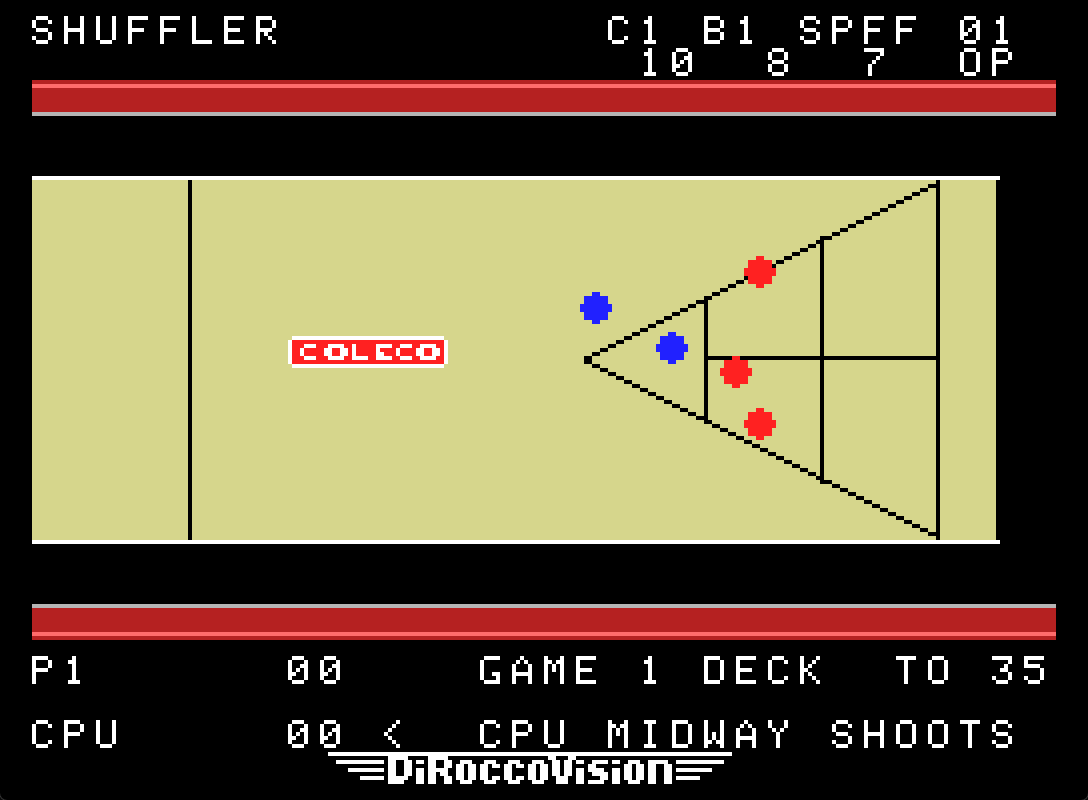
GAME 1 – DECK (first to 35)
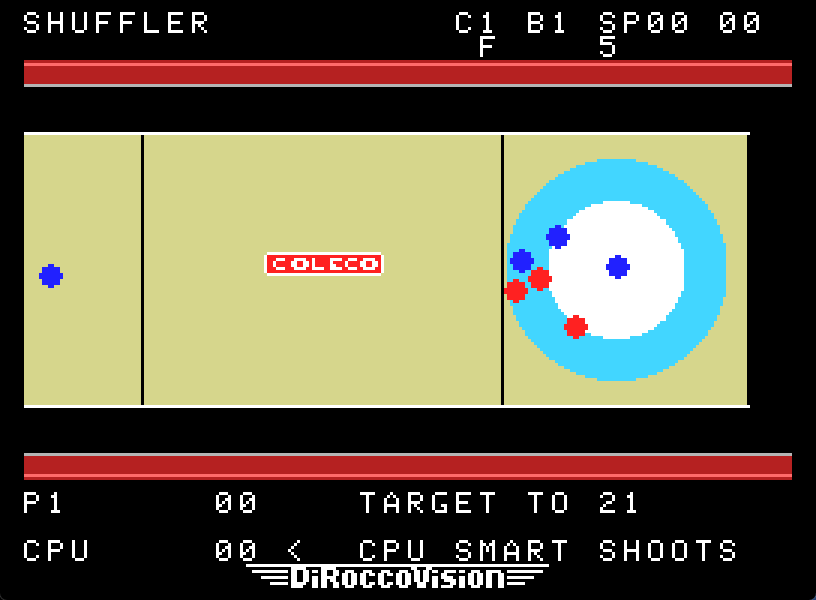
The zones are inside the triangle, labelled above the table: 10 at the tip (nearest you), then 8, then 7.
A puck on a line scores nothing. In the 8 and 7 zones, a puck on the centre line also scores nothing.
Every puck scores for its owner. Nothing cancels.
The box beyond the triangle's base, labelled OP, gives 10 to your opponent.
The first shooter alternates each frame.
Winning and other keys
Scores are added at the end of each frame. The game ends at the end of a frame in which someone has reached the target; the higher score wins.
On the closing screen, FIRE plays the same game again and # returns to the menu. # is not used during play.
* pauses; press it again to resume.
Development keys:
keypad 1 / 2 / 3 switch to STANDARD / SUPER ACTION / ROLLER mid-game;
keypad 9 turns Midway's hidden brake on the human's shots on or off.
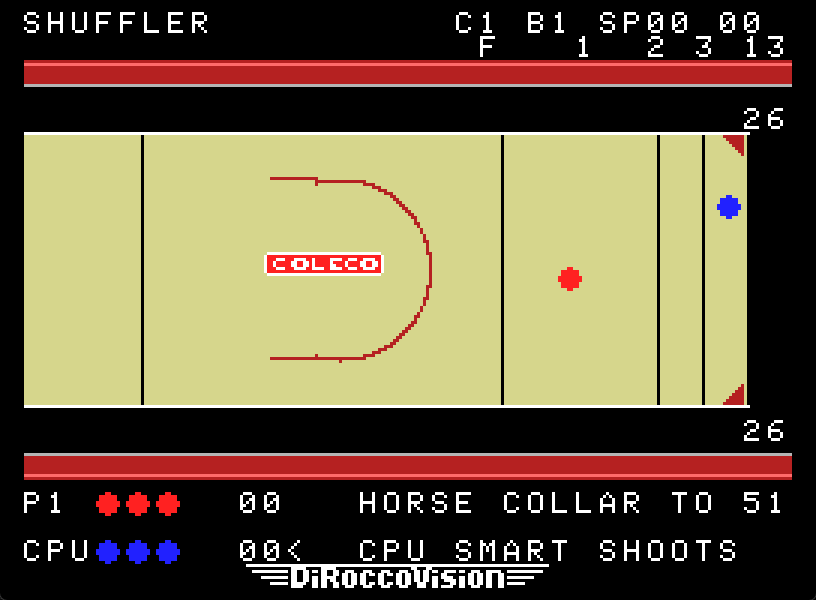
The top row readouts are for testing:
C is the controller;
B is the brake;
SP shows the raw Roller counts.
What we'd like to hear from you
Short comments are perfect, for example "meter too fast", "angles too steep", "SMART keeps doing the same knock", or "collision sound is harsh".
Standard controller:
Can you pick a useful power reliably?
Can you deliberately land a 1, 2, 3 or hanger?
Can you overshoot on purpose, or angle a knock-off?
CPU SMART vs CPU MIDWAY: does SMART feel purposeful and beatable, or repetitive or unfair?
Sound: anything annoying, especially repeated collisions or scoring.
Roller owners:
Did you need keypad 7 or 8?
Does a normal roll give a sensible throw speed?
ADAM owners: does the cartridge cold-boot to the menu and play normally?
 Published by DiRoccoVisionDeveloped and published by DiRoccoVision. See all DiRoccoVision games →